




iMac 2018 Upgrade 🔥 | M.2 NVMe SSD Installed Using Converter
iMac 2018 upgraded with a Crucial E100 1TB NVMe SSD 💾🖥️
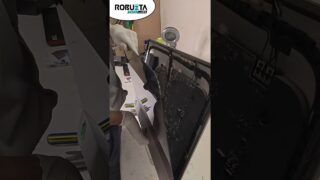
In this Short, the iMac is opened from the display side by cutting the factory glue using a metal roller tool 🔧
Unlike a normal SATA SSD, this upgrade uses a Gen4 M.2 NVMe SSD, so we also install a special converter/adapter that converts Apple’s slot into a standard NVMe M.2 slot ⚙️
Process shown 👇
🛠️ Cutting the screen adhesive carefully
🖥️ Removing the display safely
🔄 Removing old storage
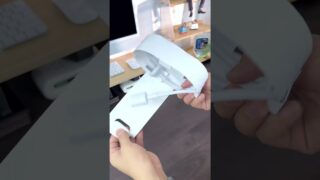
🔌 Installing NVMe adapter into Apple slot
💾 Installing Crucial E100 1TB NVMe SSD (Gen4)
🔧 Reassembling and sealing the screen
✅ Faster, smoother iMac performance
This NVMe upgrade helps:
⚡ Extremely fast boot time
🚀 Massive speed boost in apps & files
💻 Smooth macOS performance
🛠️ Long-term reliability
At Robuzta Techlabs, we provide:
💾 iMac NVMe SSD upgrades
🖥️ iMac screen-opening repairs
🔧 Apple desktop servicing
📦 Pan-India courier support
📍 Robuzta Techlabs | Ahmedabad, India
⚠️ Note: iMac screen opening and NVMe adapter installation is a high-risk process and should be done professionally.
#apple
#imac
#crucial
#applerepair
#imacrepair
#ssdupgrade
#robuztatechlabs
#techshorts
#appleservice
#robuzta #nvme