












OPN Sound Swym+ – How to Pair With MacBook
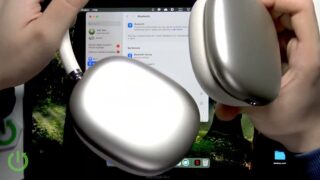
In this short video I show you how to pair OPN Sound Swym+ headphones with a MacBook so you can get them working on your computer. You’ll learn to open Settings on your MacBook and navigate to the Bluetooth section, then scroll down in the nearby devices list. To ensure the headphones enter pairing mode, you must turn off Bluetooth on any other connected devices before clicking connect next to “Swym+" in the list. I also confirm that the connection works once paired.
How to pair OPN Sound Swym+ with MacBook?
How to connect OPN Sound Swym+ to MacBook?
Why won’t OPN Sound Swym+ show up in MacBook Bluetooth list?
0:00 Intro – pairing OPN Sound Swym+ headphones with a MacBook
0:09 Open Settings on MacBook
0:18 Go to Bluetooth and view nearby devices
0:25 Disconnect existing headphone connections
0:40 Locate Swym+ in the device list
0:52 Click Connect to pair headphones
0:58 Verify connection is successful
#OPN #OPNSoundSwymPlus #MacBook #BluetoothPairing
Find out more:
https://www.hardreset.info/devices/opn/opn-sound-swym-plus/pair-macbook/
Follow us on Instagram ► https://www.instagram.com/hardreset.info
Like us on Facebook ► https://www.facebook.com/hardresetinfo/
Tweet us on Twitter ► https://twitter.com/HardResetI
Support us on TikTok ► https://www.tiktok.com/@hardreset.info
Use Reset Guides for many popular Apps ► https://www.hardreset.info/apps/apps/