
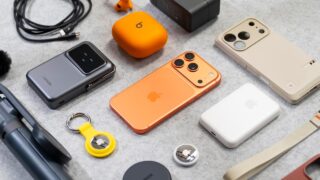
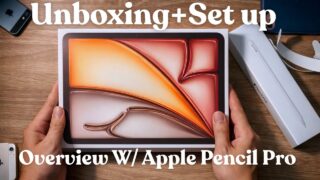

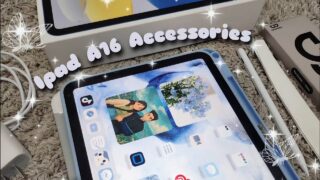



These are 9 iPad Accessories for Every New iPad Owner
Just got a new iPad? These are the iPad accessories every new iPad owner should consider.
In this video, I’m breaking down the core iPad accessories for beginners: from Apple Pencil essentials to keyboard cases, stands, and chargers; you know iPad accessories that actually make your iPad more useful from day one.
This isn’t about buying everything at once. It’s about knowing what’s worth adding first, what can wait, and what actually fits into a real-world iPad setup.
If you’re setting up a new iPad and want to avoid wasting money on accessories you won’t use, this video will help you get it right from the start.
▶︎ Want to see how these fit into my real-world iPad setup?
Check out my iPad playlist here.
📦 PRODUCTS MENTIONED (Affiliate links)
Apple Pencils
📌 Apple Pencil Pro: https://geni.us/ij0nCkA (Haptics & wireless charging)
📌 Apple Pencil (USB-C): https://geni.us/jpNTP (Best value)
📌 ESR Pencil Sleeve: https://geni.us/hwbWDT
Screen Protectors
📌 Paperlike 3: https://geni.us/au99Ak (Best for drawing/writing)
📌 ESR Glass Protector: https://geni.us/JKn8 (Best for media & protection)
Cases & Stands
📌 Lululook Magnetic Stand: https://geni.us/Ex0f
📌 MoFT Dynamic Folio: https://geni.us/7OXzwB7
📌 Logitech Flip Folio: https://geni.us/3UXrdwj
Power & Hubs
📌 Anker 100W GaN Charger: https://geni.us/cVAURH
📌 Anker Portable USB-C Hub: https://geni.us/Lb7jP
Keyboard Cases
📌 Apple Magic Keyboard: https://geni.us/rCKM (Premium pick)
📌 Logitech Folio Touch: https://geni.us/DfTfz6f (Best all-rounder)
📌 ESR Detachable Case: https://geni.us/rZbEDV (Best value)
Affiliate Disclosure: Some of the links above are affiliate links, meaning I may earn a small commission if you click through and make a purchase, at no additional cost to you. This helps support the channel and allows me to continue making videos like this. Thank you for the support!
__________________________________________
💬 Question for you:
If you just got a new iPad, what’s the one thing you’re still trying to figure out? Drop it in the comments.
📝 Templates ⬇️
Use My iPad Menu Shortcut: https://geni.us/iPadMenuShortcut
Build Your Own Basic iPad Menu: https://geni.us/iPadMenuTemplate
Build Your Own Advanced iPad Menu: https://geni.us/iPadMenuAdvanced
⚙️ Quick Start Guides ⬇️
Download my free iPadOS 26 Quick Start Guide: https://geni.us/k40f2fz
Download my free iOS 26 Quick Start Guide: https://geni.us/oTBic
✅ Support The Channel
Subscribe: https://www.youtube.com/itscaputo
Join the Community: https://www.youtube.com/channel/UCE6JUxuIzxhqtxUSHDZHG8w/join
🤝🏼 Let’s Connect
🎥 Instagram: https://www.instagram.com/caputo/
🧵 Threads: https://www.threads.net/caputo
🐥 Twitter: https://www.twitter.com/caputo
If you find this review helpful, please give us a thumbs up and subscribe to our channel for more tech insights and reviews. And don’t forget to hit that notification bell 🔔 so you never miss a new video!
#ipadaccessories