

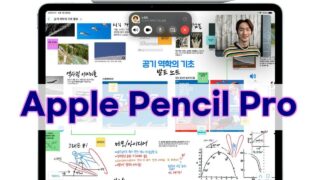





find your apple pencil pro pressure sensitivity working or not?
How to Find your Apple Pencil Pro Pressure Sensitivity is Working or Not? In this video, I show you how to find your apple pencil pro pressure sensitivity is working or not. Actually, You can easily find out your apple pencil pro pressure sensitivity is working or not in two ways.
Necessary iPhone & iPad Accessories!
1. Original Samsung USB-A to USB-C charging cable: https://amzn.to/3XP5Acb
2. Belkin Apple Certified USB-A to Lightning Cable: https://amzn.to/3StT9zx
3. Belkin Apple Certified USB-C to Lightning Cable: https://amzn.to/41O8teF
4. Belkin USB-C 40 Watts Wall Charger: https://amzn.to/4kmXPng
5. Belkin USB-C 70 Watts Fast Charger: https://amzn.to/4hQDSTP
6. Lightning OTG Connector: https://amzn.to/3V9MKMF
7. USB-C OTG Connector: https://amzn.to/4bYRv1o
8. Lightning to OTG + USB-C Connector: https://amzn.to/4hWPMv7
9. Multiport SD Card Reader: https://amzn.to/4jx9j6X
10. MFI Certified Lightning to Camera Adapter: https://amzn.to/41GCbCd
Note: We use Amazon affiliate links and may earn a commission but, it does not cost you extra.
Our Social Media Links!
*E-Mail: dailydoubts2021@gmail.com
*YouTube: https://www.youtube.com/@dailydoubts
*X: https://twitter.com/dailydoubtsyt
*Facebook: https://www.facebook.com/share/169zLpcabE/
*Instagram: https://www.instagram.com/dailydoubts
#applepencilpro
#applepencil
#ipad_pencilpro