












Fixing The Biggest Apple MacBook Neo Shortcomings Easily & Inexpensively
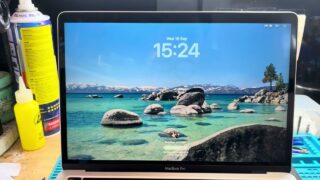
If you have been following the channel in recent weeks, you probably already know that I have made a major transition in my studio workflow. I recently switched over to using an Apple MacBook Neo for a vast majority of my video production and content creation tasks. When comparing options, the Apple MacBook Neo was significantly less expensive than building or buying a comparable high-end Windows PC desktop or laptop for the studio. After putting it through its paces, I have to admit that it is incredibly powerful. For demanding tasks like 4K video production, video capturing, and even slicing 3D models for my 3D printing software, this machine has thoroughly impressed me with its speed and efficiency.
However, despite its impressive performance, the Apple MacBook Neo is not without its flaws. In fact, there are a couple of major areas where it falls completely short for professional or power-user workflows. The biggest shortcomings of the Apple MacBook Neo are its severe lack of I/O connectivity and its relatively low internal storage capacity. Specifically, the MacBook Neo only features USB-C ports on the side. There are absolutely no USB-A ports, no built-in HDMI port for an external monitor, and surprisingly, no audio jacks or headset jack for monitoring audio. To make matters worse, you are heavily restricted by the internal storage options, often finding yourself limited to either 256GB or 512GB of onboard storage. When you are dealing with massive video files, that storage fills up in the blink of an eye. So come along as we’re Fixing The Biggest Apple MacBook Neo Shortcomings Easily & Inexpensively.
Thankfully, the amazing team over at Acasis reached out and sent over some incredible tech solutions to help address these exact issues. In this video, we are taking an in-depth look at two fantastic products from Acasis that completely transform the Apple MacBook Neo experience, solving both the connectivity and storage problems in one go.
First up, we are checking out the Acasis 10Gbps Magnetic M.2 NVMe SSD Enclosure and Docking Station. While this extremely versatile device is heavily marketed for mobile phones—thanks to its magnetic attachment system—it is an absolute powerhouse when paired with the MacBook Neo. This enclosure allows you to easily install an M.2 NVMe SSD inside to massively expand your storage capacity. But it doesn’t stop there. It doubles as a portable hub! It features a dedicated HDMI output, a legacy USB-A port for older peripherals, a USB-C host connection, and a PD 100W input to connect to a power supply. You also get an SD card slot, a micro SD card slot, and a blazing-fast 10Gbps USB-C connection port. It even features a dedicated power button and an internal cooling fan to keep your SSD temperatures low during heavy data transfers. The tool-less design is brilliant—you simply use the included rubber grommet to lock your SSD securely in place, and you are ready to edit directly from the drive!
But what if you are working from a dedicated desk, home office, or studio like I am, and you need a more permanent, heavy-duty solution? Acasis has you covered there too with their massive 15-in-1 Laptop Docking Station. This thing is a beast! It comes with a stunning, heavy-duty aluminum docking stand that elevates the dock and keeps your desk organized. This is truly the ultimate hub for any Windows or Apple computer. Let’s talk about the massive array of ports. On the back, you get a USB 3.0 port, a Gigabit Ethernet port for hardwired internet, a PD input for power, a USB-C port for the host connection, a DisplayPort, and not one but two HDMI ports! On the front face of the dock, it features a 24W PD output port to charge your accessories, two fast USB 3.1 ports, another USB 3.0 port, a headset jack to finally solve the MacBook Neo audio problem, plus standard SD and micro SD card slots, and a power button. Acasis even includes a premium PD 100W wall charger with foldable prongs in the box, ensuring you have all the power you need to run your entire setup and charge your laptop simultaneously.
My previous dock worked okay, but this Acasis 15-in-1 setup is vastly superior for my studio needs. It brings back all the missing ports and provides the necessary power delivery to keep my workflow seamless.
Have you picked up the new Apple MacBook Neo yet? If so, what do you think of its performance, and how are you dealing with the lack of ports and low storage? Let me know your thoughts down below!
Docking station: https://amzn.to/4594NX7
Magnetic M.2 enclosure: https://amzn.to/4yCRqff
#MacBookNeo #Acasis #AcasisDock #AcasisDockingStation #AppleMacBook #MacBookAccessories #MacBookStorage #MacBookHub #TechReview #VideoProduction #MacBookSetup #DeskSetup #TechGadgets #NVMeEnclosure #SSDDrive #ContentCreator #MacBookNeoReview #MacBookPorts #USBCHub #StudioSetup #VideoEditingLaptop #MacBookNeoStorage #3DPrintingSetup #TechSolutions #MacBookLife #AppleTech