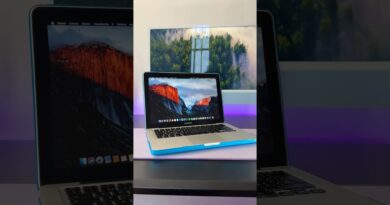
MacBook Neo SSD Upgrade: 256GB to 1TB!
If you bought the MacBook Neo with the 256GB internal SSD, you already know how fast that storage can disappear. In this video, I show a practical budget-friendly way to make the Neo much more useful by adding an external NVMe SSD through a USB-C MagSafe-style hub/enclosure.
This ACASIS EC-1401 hub go.sjv.io/n4RYVM discount code (SMART15) gives you the extra ports the MacBook Neo needs — HDMI, USB-A, USB-C, card readers, power input, and an internal NVMe slot — while letting you expand from 256GB to a much more practical 1TB setup.
I also cover the important part many people miss: using the external SSD as your macOS Home folder drive, so your user data lives on the external SSD while keeping the internal drive open for macOS and swap memory.
Watch my full Home Folder setup video here:
My PDF guide for moving your macOS Home folder to an external SSD:
https://macsound2.gumroad.com/l/gsvuu
ACASIS EC-1401 hub www.go.sjv.io/n4RYVM discount code (SMART15)
TEAMGROUP 1TNVMe https://amzn.to/4g0DXqt
Chapters:
0:00 Intro — Make your MacBook Neo huge
0:55 The one thing other videos missed
1:18 Moving your Home folder to external SSD
1:58 Choosing an NVMe SSD
2:55 Why the ACASIS hub makes sense
3:29 Built-in fan and cable setup
3:39 Why this is perfect for the Neo
4:30 MagSafe mounting setup
4:42 Works with Mac, PC, iPhone, and iPad
4:43 AmorphousDiskMark speed test
5:11 RAM and swap memory warning
6:09 Why external Home folder helps the Neo
6:16 Wrap-up and upcoming eGPU videos
Mac Sound Solutions:
https://www.macsoundsolutions.com
Recommended gear / affiliate links:
ACASIS USB-C NVMe Hub: [ADD LINK]
TeamGroup MP44L NVMe SSD: [ADD LINK]
Samsung 990 Pro NVMe SSD: https://
USB-C / Thunderbolt cable: [ADD LINK]
As an affiliate, I may earn from qualifying purchases at no extra cost to you.
Please subscribe, give the video a thumbs up, and stay tuned for more Mac, storage, creator workflow, and eGPU videos.
#MacBookNeo #MacSoundSolutions #ACASIS #NVMe #MacStorage #ExternalSSD #MacBookAir #MacTips