


Digital Scrapbook | All you need as a Beginner | iPad Apps & Journal Setup | Cozy & Aesthetic 🌙
Lastrituals Aesthetic Digital Journaling ✨ New Digital Journal Kit to create your own Custom journal
In today’s video, we’re learning how to build a new journal in Goodnotes on your iPad with Apple Pencil
00:00 – Intro & Review of last Journaling Session🌙
03:15 – Beginner iPad Apps Overview
28:20 – Digital Journal & Canvas Setup (Grids, Textures & Templates)
38:10 – Weekly Spread: Layout Planning & Structure
52:30 – Weekly Spread: Adding Photos, Digital Stickers & Aesthetic Elements
1:12:45 – Weekly Spread: Hand Lettering, Journaling & Final Touches
1:25:00 – Outro
Whether you are a seasoned digital planner or just starting your iPad journaling journey, this tutorial will help you create beautiful, layered spreads with ease.
🛍️ Shop the Products Featured in this Video:
Get the exact look using my digital assets from Last Rituals:
Ephemera: https://www.etsy.com/de-en/listing/4535297771/soft-ephemera-digital-stickers-for
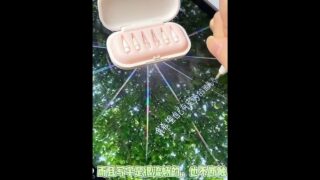
Trinket Box: https://www.etsy.com/shop/lastrituals/?etsrc=sdt§ion_id=53928485
Slim Journal Templates: https://www.etsy.com/de-en/listing/4510198400/
Daily Date Stickers: https://www.etsy.com/de-en/listing/4304222313/
Digital Canvas Metamorphosis (The Base): https://www.etsy.com/de-en/listing/4539630919/
✨ Browse the full shop: https://lastrituals.etsy.com
What’s Inside:
Goodnotes Setup: Building the layout and choosing your background.
Creative Layering: Tips for digital scrapbooking, using stickers, and creating depth.
Final Aesthetics: Adding those finishing touches that make your journal pop.
#DigitalJournaling #iPadJournaling #Goodnotes #PaperApp #DigitalScrapbooking #DigitalPlanner #JournalingTutorial #LastRituals #iPadArt #DigitalStickers #ScrapbookLayout